


 Call us:



Shopify Tutorial for Beginners
-
 By
SimonSezIT
By
SimonSezIT
- 13/01/2022
Course Description
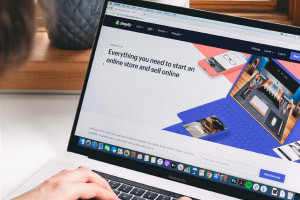
Using a Shopify tutorial, this course provides accurate knowledge of the company and demonstrates the working principles for using Shopify. This course describes and clarifies the characteristics and functions of the Shopify site tools and guides you through specific information about the personal trial site to help you understand its plans and pricing. We provide the answers to questions relating to the Shopify tools, show you how to edit a domain name and outline how to use the Shopify dashboard. We discuss creating a theme and the tools you will use before teaching you to assess the various ways of adding and modifying those themes.
Following this, we will prepare you for the customization of your site. You will be able to learn how to correctly use the tools in Shopify to understand collection views and create and modify collections. Next, you will discover how to add products to the working site and examine the distinct varieties of the site to create multiple variants. Following this, we explain how to upload blog posts and illustrate how to modify and edit menu items. What is a menu item? What tools help you edit and modify collections? This course will clarify these questions before finally conveying how to order online and fill the order.
This course will equip you with the skills needed to use Shopify if you are a beginner. It provides precise and detailed techniques you can apply in your working field. This tutorial on Shopify is ideal for those starting a company or employees who want to learn how to use it to its full potential. Register for this training course and become confident in using this site.
What you'll learn in this course?
-
E-Commerce
-
Sales
-
Shopify
-
Small Business
Course Curriculum

SimonSezIT
United Kingdom
 Duration
 Modules
 Certifications
