


 Call us:



Sage 50 Accounting for Beginners
-
 By
CourseFlix
By
CourseFlix
- 18/04/2023
Course Description
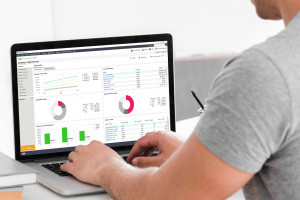
Accounting represents one of the most important but daunting responsibilities facing any business owner. As financial operations and management services move online, accounting has followed suit with computerised versions of your old paper ledger. This Sage 50 tutorial explains how to run your companies' accounts using this popular accounting software platform. We begin with a quick overview of accounting and compare it to bookkeeping. We demonstrate how to install Sage 50 and outline the history of the software and its versions. The course then identifies the technical specifications that your computer needs to meet and shows you how to create a Sage 50 account before linking it to your software and devices. We then explain how to access Sage 50 from your desktop.
This Sage 50 tutorial examines the platform’s features and abilities, many of which are supported by video tutorials. This section begins with a description of the two types of layouts available: ‘Classic’ and ‘Enhanced’ View. We then describe the windows that you will use to upload your business' information, from business type to what type of currency will be used. The course demonstrates how to create reports and charts using financial data. We cover preview reports, charts of accounts and other bank records. We show you how keyboard shortcuts like ‘copy’ and ‘paste’ speed up work and go through shortcuts that can only be used in Sage 50.
This accounting course takes you through a broad range of terms, procedures and reports that every accountant and small business owner should know. We explain how to perform a bank reconciliation and take a deep dive into nominal ledgers and recurring transactions. Both play a significant role in your business' finances and are simple to record, manage and delete with Sage 50. We discuss the role of everyday commercial documents such as receipts and invoices. Finally, we show you how to create, manage and duplicate sales invoices. This Sage 50 tutorial provides a solid understanding of accounting and demonstrates how easy it can be to use accounting software. Sign up to learn how to modernise your approach to financial management and use Sage 50 to take control of your finances.
What you'll learn in this course?
-
Sage
-
Bookkeeping
-
Accounting
-
Basic Accounting
Course Curriculum

CourseFlix
United Kingdom
 Duration
 Modules
 Certifications
